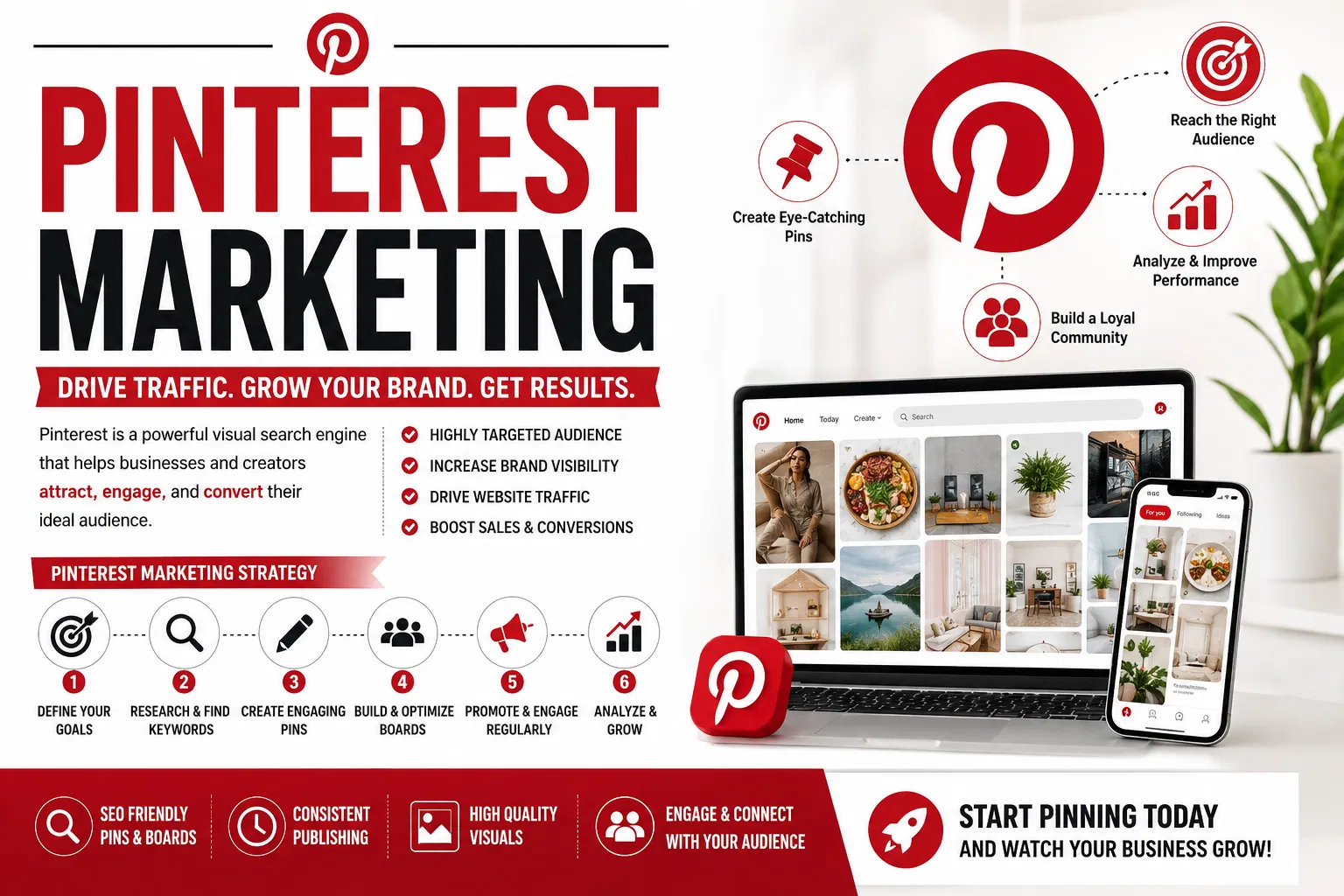
Hello there, fellow content creator and business owner! Are you looking to supercharge your website traffic and reach a whole new audience? If you haven't fully tapped into the power of Pinterest yet, you're in for a treat. This guide is designed to help you master Pinterest SEO, transforming your presence on the platform into a consistent source of visitors and potential customers. Get ready to unlock the secrets to Pinterest success!
1. Introduction: Unlocking Pinterest's Potential for Traffic
Pinterest isn't just another social media platform; it's a powerful visual search engine and discovery tool that millions use daily to find inspiration, products, and ideas. Unlike Instagram or Facebook, where content often has a short shelf-life, pins on Pinterest can continue to drive traffic to your website for months, even years, after they're published. This longevity is precisely why understanding Pinterest SEO is so crucial for any business or blogger aiming for long-term online success.
Think of Pinterest as a visual catalog of ideas. When users search for something, they're typically looking for solutions, tutorials, recipes, or products to buy. By optimizing your content for Pinterest's search algorithm, you can ensure your pins appear exactly when your target audience is actively looking for what you offer. This makes Pinterest an incredibly effective platform for driving highly qualified traffic to your website, increasing brand awareness, and ultimately boosting sales or conversions.
The beauty of Pinterest SEO lies in its evergreen nature. A well-optimized pin is like a digital asset that works for you 24/7, constantly bringing in new eyes to your content. This means less effort over time for sustained results, making it a fantastic complement to other marketing strategies that might require more continuous input. Investing time in learning and implementing Pinterest SEO best practices now will pay dividends far into the future.
This guide will walk you through every essential step, from setting up your account correctly to advanced keyword research and pin design. We'll explore how to make your content discoverable, engaging, and irresistible to your ideal audience. Whether you're a complete beginner or looking to refine your existing Pinterest strategy, you'll find actionable advice to help you achieve your traffic goals.
2. Setting Up Your Pinterest Business Account for Success
Before you even start creating pins, it's absolutely vital to set up a Pinterest Business Account. If you currently have a personal account, don't worry – Pinterest makes it easy to convert it to a business profile, or you can create a brand new one. A business account unlocks a suite of essential tools, most notably Pinterest Analytics, which provides invaluable insights into your pin performance and audience demographics. Without these analytics, you'd be essentially flying blind, making it much harder to refine your strategy.
To get started, visit business.pinterest.com or navigate to your personal account settings to convert it. Make sure to accurately fill out all the details, including your business name, website URL, and a brief but compelling description of what you do. Choosing the correct business category is also important, as it helps Pinterest understand your niche and recommend your content to relevant users. This foundational step is critical for establishing your credibility and setting the stage for discoverability.
A key part of setting up your business account involves claiming your website. This verification process tells Pinterest that you own the website you're linking to, which is crucial for displaying Rich Pins (more on those later!) and for attributing traffic correctly in your analytics. Pinterest offers a few methods to claim your website, usually involving adding a meta tag to your site's header code or uploading an HTML file. Follow their instructions carefully to ensure your site is successfully claimed.
Finally, make sure your profile picture and cover board represent your brand professionally. Your profile picture should ideally be your logo, making it easy for users to recognize your brand across the platform. Your cover board can be used to showcase your best content or visually represent your brand's aesthetic, drawing users further into your profile. These visual elements contribute significantly to your brand identity and help create a cohesive, trustworthy presence on Pinterest.
3. Mastering Pinterest Keywords: The Foundation of Discovery
Keywords are the backbone of Pinterest SEO. Just like Google, Pinterest uses keywords to understand what your content is about and to match it with relevant user searches. Without strategic keyword optimization, even the most beautiful pin might never be seen by your target audience. Therefore, dedicating time to thorough keyword research is not just important; it's absolutely essential for your Pinterest success.
Start your keyword research directly on Pinterest. Begin typing a broad term related to your niche into the search bar, and Pinterest will suggest long-tail keywords and related phrases. These suggestions are goldmines, as they represent actual searches users are making on the platform. Pay attention to the autocomplete suggestions and the colored tiles that appear below the search bar; these indicate popular sub-topics and related queries. This method gives you real-time insight into what your audience is actively looking for.
Don't stop there! Also consider using the guided search feature. After you search for a broad term, Pinterest will often present a series of clickable tiles below the search bar, each representing a narrower, related topic. Clicking on these tiles will further refine your search and uncover even more specific long-tail keywords. For example, if you search for "healthy recipes," you might see tiles like "healthy recipes for dinner," "healthy recipes meal prep," or "healthy recipes easy." Each of these provides valuable keyword opportunities.
Once you've gathered a list of relevant keywords, think about how your audience would search for your content. Use a mix of broad terms (for wider reach) and specific long-tail keywords (for highly targeted traffic). Consider synonyms and related terms as well. These keywords will be strategically placed throughout your Pinterest presence – in your profile description, board titles, board descriptions, pin titles, and pin descriptions – maximizing your content's discoverability. Remember to write for humans first and search engines second; prioritize clear, concise, and engaging language.
4. Optimizing Your Pinterest Profile and Boards
Your Pinterest profile and boards are crucial elements of your SEO strategy, acting as signposts that guide Pinterest and users to understand your content. A well-optimized profile tells Pinterest what your brand is all about, while thoughtfully crafted boards organize your pins and make them easily discoverable. Neglecting these areas means missing out on significant opportunities for increased visibility.
Your profile name and description are prime real estate for keywords. Make sure your profile name includes your brand name and a relevant keyword that describes what you do. For example, instead of just "Sarah's Blog," consider "Sarah's Blog | Healthy Recipes & Meal Prep." Your profile description should be concise but keyword-rich, explaining who you are, what you offer, and who you help. Think of it as your elevator pitch to Pinterest's algorithm and potential followers.
When it comes to your boards, titles are paramount. Each board title should clearly and concisely describe the content within it, using your carefully researched keywords. Avoid vague or overly creative titles that don't immediately communicate the board's theme. For instance, instead of "Yummy Food," use "Easy Weeknight Dinner Recipes" or "Healthy Vegetarian Meal Ideas." This clarity helps both users and Pinterest's algorithm understand your content at a glance.
Beyond titles, board descriptions are another powerful place for keyword optimization. Each board description should be a paragraph or two explaining what kind of pins users will find on that board, naturally integrating your relevant keywords. Think about what a user searching for that topic would want to know. The more descriptive and keyword-rich your board descriptions are, the better chance your boards (and the pins within them) have of ranking in Pinterest search results.
Finally, consider the organization and quality of your boards. Create a good number of relevant boards, but don't overdo it with too many similar ones. Each board should have at least 10-20 high-quality, relevant pins to establish its authority on a topic. Regularly prune irrelevant or low-performing pins from your boards to maintain a high standard. A well-organized and keyword-optimized collection of boards signals to Pinterest that you are a valuable source of information in your niche.
5. Designing Eye-Catching Pins That Convert
While keywords are crucial for discovery, the visual appeal of your pins is what truly stops the scroll and encourages users to click. Pinterest is a highly visual platform, and a stunning pin design can make all the difference in driving traffic to your website. Investing time in creating beautiful, effective pin images is a non-negotiable part of a successful Pinterest strategy.
Vertical images perform best on Pinterest. The ideal aspect ratio is generally 2:3 (e.g., 1000x1500 pixels). Taller pins take up more space in the feed, making them more likely to catch a user's eye as they scroll. Avoid overly wide or square images, as these tend to get lost in the shuffle. High-quality imagery is also essential; blurry or pixelated photos will deter engagement. Use clear, bright, and professional-looking photos that are relevant to your content.
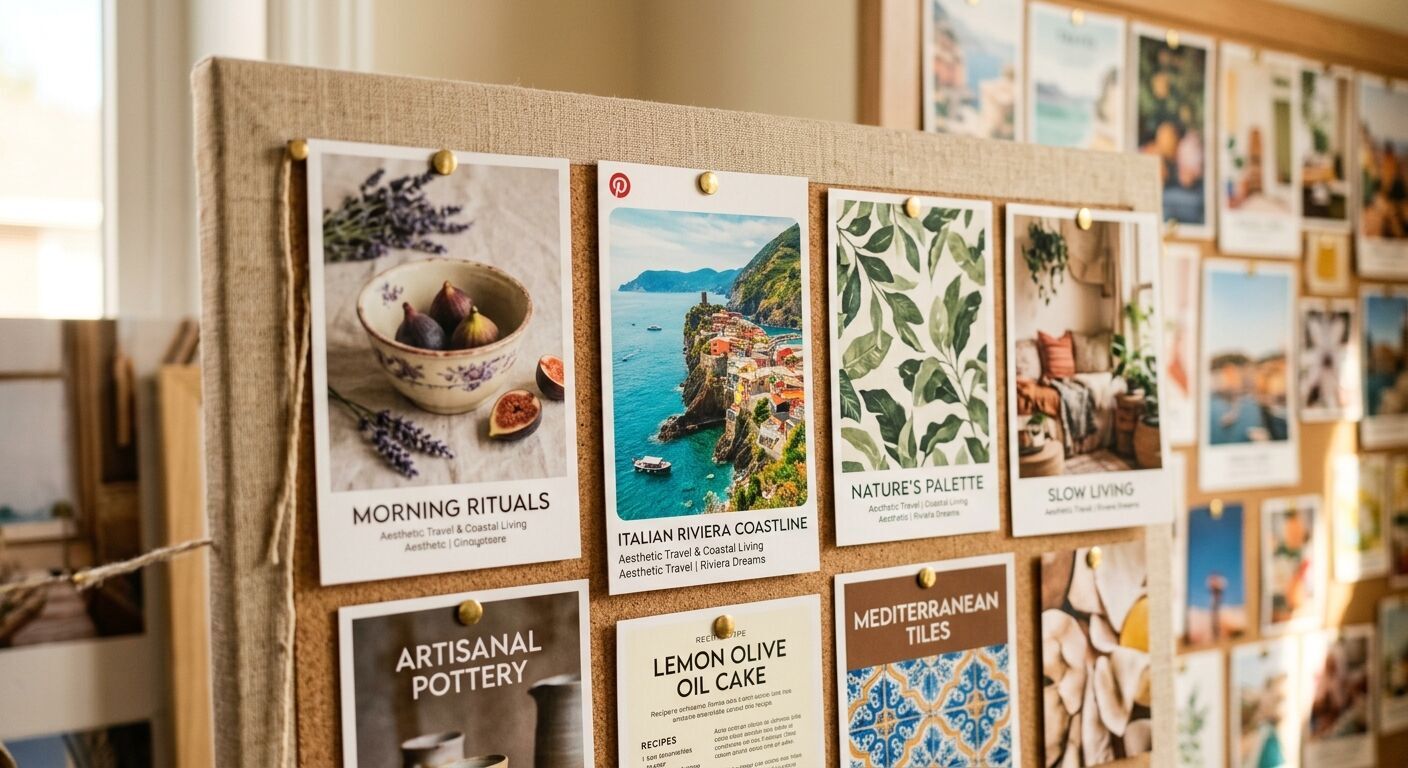
Text overlays are incredibly powerful on Pinterest. They allow you to communicate the value proposition of your pin directly on the image, even before a user reads the description. Use clear, legible fonts and create compelling headlines that pique curiosity or highlight a benefit. For example, instead of just an image of a cake, a pin with "Easy Lemon Cake Recipe" or "Bake the Perfect Lemon Cake in Under an Hour" will likely perform much better. Make sure your text is easily readable on both desktop and mobile devices.
Branding your pins consistently helps users recognize your content and builds trust over time. Include your logo or website URL subtly on each pin. This not only reinforces your brand but also ensures that even if your pin is repinned without a direct link back to your profile, users can still identify the source. Consistency in your visual style – colors, fonts, and overall aesthetic – also contributes to a professional and cohesive brand presence.
Finally, think about the call to action (CTA) your pin implies. While you won't always have an explicit "Click Here" on the image, the visual should clearly suggest what action the user should take or what they will gain by clicking. For a recipe, a mouth-watering food photo and a clear title guide the user. For a product, showcasing the product in use or highlighting its benefits can be a powerful motivator. A well-designed pin not only looks good but also effectively prompts engagement.
6. Crafting Compelling Pin Descriptions for Maximum Reach
After your eye-catching pin image grabs a user's attention, your pin description is the next critical element for both Pinterest's algorithm and the user. A well-written description acts as a mini-sales pitch, providing more context about your content and further enticing users to click through. Crucially, it's also a prime location for strategically embedding your keywords to boost discoverability.
Think of your pin description as an opportunity to elaborate on what your pin offers. Start with your most important keywords naturally integrated into the first sentence or two. Pinterest's algorithm places a strong emphasis on keywords at the beginning of the description. Don't keyword stuff, but rather weave them in organically so that the description still reads clearly and provides value to the user.
Aim for a description that is detailed but not excessively long. Pinterest allows for up to 500 characters, but often, a compelling paragraph or two (around 100-200 characters) is sufficient. Use this space to explain what users will find when they click, what problems your content solves, or what benefits they'll gain. For example, for a "healthy meal prep" pin, you might describe the types of recipes included, how much time they save, and any dietary benefits. Avoid repeating the exact keywords from your pin title in your description; instead, use related terms and expand on the information.
Incorporate relevant hashtags into your description. Pinterest allows up to 20 hashtags, but usually 2-5 relevant hashtags are ideal. Use a mix of broad and niche-specific hashtags, and don't forget to include your brand hashtag if you have one. Hashtags act as additional keywords, helping your pin appear in relevant searches and expanding its reach beyond just the immediate keyword matches. However, some experts suggest focusing more on natural keyword integration in the description rather than relying heavily on hashtags, as users primarily search with keywords.
Always include a clear call to action in your pin description. Encourage users to visit your website to "learn more," "get the recipe," "shop now," or "read the full guide." This direct instruction guides users on what to do next and increases your click-through rates. Remember, the ultimate goal of your pin is to drive traffic back to your site, so make it easy and obvious for users to take that next step.
7. The Power of Rich Pins: Enhancing Your Content
Rich Pins are a game-changer for businesses and content creators on Pinterest. Unlike standard pins, Rich Pins automatically pull additional information directly from your website, displaying it right on the pin itself. This extra context provides more value to the user at a glance and significantly increases the professional appearance and functionality of your pins. If you're serious about Pinterest marketing, setting up Rich Pins is a must.
There are several types of Rich Pins, each designed for specific content:
Product Pins: Show real-time pricing, availability, and where to buy. This is incredibly powerful for e-commerce, allowing users to see if an item is in stock and its current price directly on Pinterest.
Recipe Pins: Include ingredients, serving sizes, and cooking times. Perfect for food bloggers, making it easier for users to quickly assess if a recipe meets their needs.
Article Pins: Display a headline, author, and story description. Great for bloggers and publishers, giving users a snippet of the article before clicking.
App Pins: Show an install button, making it easy to download apps directly from Pinterest.
The primary benefit of Rich Pins is the enhanced user experience. By providing more information upfront, you help users make more informed decisions about whether to click through to your site. This can lead to higher quality traffic that is more likely to convert. For example, a user seeing the price and availability on a Product Pin is already well-qualified by the time they reach your product page.
Setting up Rich Pins requires a bit of technical work, but it's well worth the effort. Your website needs to include specific metadata (Schema.org markup or Open Graph tags) that Pinterest can read. Once this is in place, you'll need to validate one of your URLs using Pinterest's Rich Pin Validator tool. After validation, all pins linking to pages on your claimed domain that contain the correct metadata will automatically become Rich Pins.
Beyond the obvious benefits for users, Rich Pins also contribute positively to your Pinterest SEO. The additional information makes your pins more informative and trustworthy, which can signal to Pinterest's algorithm that your content is high-quality. This can potentially lead to better visibility in search results and a greater likelihood of your pins being saved and shared by others.
8. Pinterest Analytics: Tracking Your Performance and Growth
Understanding how your pins and boards are performing is absolutely vital for refining your Pinterest SEO strategy. This is where Pinterest Analytics comes in. Available only with a Pinterest Business Account, this powerful tool provides a wealth of data that can help you identify what's working, what's not, and where to focus your efforts for maximum impact. Regularly checking your analytics is a cornerstone of continuous improvement.
Pinterest Analytics offers insights into several key metrics:
Impressions: The number of times your pins were seen. This gives you an idea of your overall reach.
Engagements: The number of saves (repins) and clicks on your pins. Engagements indicate how well your content resonates with your audience.
Pin Clicks: The number of times users clicked on your pin to visit your website. This is a crucial metric for measuring traffic generation.
Outbound Clicks: Similar to pin clicks, specifically measuring clicks to your linked website.
Audience Insights: Demographics of people who engage with your content, including age, gender, location, and interests. This helps you understand your target audience better.
By delving into these metrics, you can identify your most popular pins and boards. Which pin designs are driving the most clicks? Which topics are generating the most saves? Understanding these patterns allows you to replicate success and create more of the content your audience loves. You might discover that certain visual styles or keyword approaches consistently outperform others.
You can also use analytics to track trends over time. Are your impressions growing? Is your click-through rate improving? By monitoring these trends, you can assess the effectiveness of any changes you've made to your strategy. For example, if you implemented a new keyword strategy, you can observe if your pin impressions and outbound clicks increased in the following weeks.
Furthermore, Audience Insights are invaluable for understanding who you're reaching. This data can help you refine your content strategy, tailor your pin designs, and even inform your broader marketing efforts. Knowing your audience's interests can inspire new content ideas that you know will resonate with them, further boosting your engagement and traffic from Pinterest. Make it a habit to review your Pinterest Analytics weekly or monthly to stay on top of your performance.
9. Developing a Strategic Content Plan for Pinterest
Having a strategic content plan is just as important for Pinterest as it is for any other marketing channel. Simply throwing pins onto the platform sporadically won't yield the consistent results you're aiming for. A well-thought-out content strategy ensures you're consistently providing value, reaching your target audience, and driving traffic back to your website.
Start by identifying your evergreen content. These are blog posts, products, or resources on your website that remain relevant over time, regardless of trends or seasons. These are perfect for Pinterest because they have a long shelf life and can continue to drive traffic for months or years. Focus on creating multiple pins for each piece of evergreen content, varying the visuals and descriptions to appeal to different segments of your audience.
Consider creating seasonal content. While evergreen content is crucial, leveraging seasonal trends can provide a significant boost in traffic. Think about holidays, seasons, major events, or popular planning periods (like "back to school" or "wedding season"). Plan and create pins for these topics well in advance (Pinterest recommends starting 30-60 days ahead of the peak season) to maximize your visibility when users are actively searching.
Your content plan should also include a mix of pin types. Don't limit yourself to just static images. Experiment with video pins, carousel pins (multiple images in one pin), and Idea Pins (multi-page pins often including video). Each type offers a different way to engage your audience and can be particularly effective for different kinds of content, such as tutorials, product showcases, or step-by-step guides. Idea Pins, for instance, are excellent for building audience engagement and showcasing expertise.
Finally, think about your pinning schedule. Consistency is key on Pinterest. Aiming for a consistent number of pins per day or week (e.g., 5-15 pins daily, spaced out at optimal times) can help maintain visibility and build domain authority. This doesn't mean you need to create 10 new pieces of content daily; you can repin your own older content, create new pins (fresh images for existing content), or curate relevant content from others in your niche (though focus primarily on your own). Using a scheduling tool can make this much more manageable.
10. Pinterest Marketing Best Practices for Sustainable Growth
Achieving sustainable growth on Pinterest goes beyond just individual pin optimization; it involves adopting a holistic approach to your presence on the platform. By integrating several best practices into your routine, you can build a strong foundation that consistently drives traffic and engagement over the long term.
Consistency in pinning is paramount. Pinterest's algorithm favors active accounts that regularly provide fresh content. This doesn't mean you need to spend hours every day creating new content. Instead, focus on creating a steady stream of "fresh pins" (new images/graphics for existing content), repinning your own older, high-performing pins, and occasionally curating relevant content from others. Using a scheduling tool can help you maintain this consistency without constant manual effort.
Prioritize high-quality content. Pinterest is all about inspiring action and providing value. Ensure that every pin links to high-quality, relevant content on your website that delivers on the promise of the pin. A beautiful pin linking to a broken page or a low-value article will quickly lead to disengagement and can negatively impact your standing with Pinterest's algorithm and overall domain quality. Your website experience should be as good as your pin.
Engage with your audience and the Pinterest community. While Pinterest is not a traditional social media platform, engagement still matters. Respond to comments on your pins, follow relevant creators in your niche, and consider joining group boards (though their effectiveness has changed over time, they can still offer some reach if well-managed). Being an active and contributing member of the Pinterest ecosystem can increase your visibility and build connections.
Always be testing and analyzing. What works for one niche or audience might not work for another. Experiment with different pin designs, text overlays, keyword strategies, and pinning times. Regularly check your Pinterest Analytics to see what's performing best and use those insights to inform your future strategy. Pinterest SEO is not a "set it and forget it" process; it requires ongoing attention and adaptation.
11. Advanced Pinterest SEO Tactics to Supercharge Your Traffic
Once you've mastered the basics, there are several advanced Pinterest SEO tactics you can employ to further supercharge your traffic and gain a competitive edge. These strategies delve deeper into the platform's nuances and leverage more sophisticated approaches to discoverability and engagement.
One powerful advanced tactic is to actively monitor and analyze your competitors. Observe what kind of pins they are creating, what keywords they are targeting, and which of their pins are performing well. Tools like Pinterest's own search bar, as well as third-party analytics tools, can help you gain these insights. While you should never copy directly, understanding what resonates in your niche can inspire your own unique and effective content strategies.
Leverage Pinterest Trends. This relatively new feature (available in select regions) allows you to see popular search terms on Pinterest over time. By identifying emerging trends and planning your content around them before they peak, you can position your pins to capture significant traffic. This is particularly useful for seasonal content or for staying ahead of cultural shifts. Integrating these timely keywords into your pins can give you a massive visibility boost.
Focus on creating "Idea Pins" strategically. Idea Pins, Pinterest's equivalent of stories, offer a multi-page format that allows for more detailed storytelling, video content, and step-by-step guides directly on Pinterest. While they don't always link directly to your website in the same way standard pins do, they are excellent for building audience engagement, showcasing your expertise, and growing your follower count. A strong follower base can lead to more impressions and engagement on your standard pins over time.
Consider repurposing your existing content in creative ways. For example, turn a long blog post into several different pins, each highlighting a different aspect or benefit. Or, transform a video tutorial into a series of static pins with text overlays or a multi-page Idea Pin. The more high-quality pins you have linking back to your valuable content, the more opportunities you create for discovery. Don't underestimate the power of giving your best content multiple chances to shine.
12. Avoiding Common Pinterest Mistakes and Pitfalls
Even with the best intentions, it's easy to fall into common traps on Pinterest that can hinder your SEO efforts and limit your traffic. Being aware of these pitfalls and actively working to avoid them will save you time and ensure your strategy remains effective.
One of the most frequent mistakes is neglecting keyword research. Many users simply create pins without considering how people will search for them, leading to beautiful pins that never get discovered. Remember, Pinterest is a search engine first, and without relevant keywords in your titles, descriptions, and boards, your content will struggle to rank. Always start with keyword research before pin creation.
Another common pitfall is inconsistency. Sporadic pinning, neglecting your boards, or letting your profile become outdated sends negative signals to Pinterest's algorithm. To succeed, you need to be an active and consistent contributor to the platform. Establish a realistic pinning schedule that you can stick to, and regularly review and refresh your boards to keep them relevant and valuable.
Linking to irrelevant or low-quality content is a major mistake. If your pin promises one thing but delivers another upon clicking, users will quickly bounce, and Pinterest will notice. This can negatively impact your pin's performance and potentially even your domain authority on the platform. Always ensure your pins accurately represent the content they link to, and that the linked content is high-quality, provides value, and is mobile-friendly.
Ignoring Pinterest Analytics is another significant error. Without understanding your data, you can't truly optimize your strategy. Not knowing which pins are driving traffic, what topics resonate, or who your audience is means you're making decisions in the dark. Make it a habit to regularly review your analytics to identify trends, learn from your successes, and adjust your approach where necessary.
Finally, keyword stuffing or overly promotional content can backfire. While keywords are important, cramming them unnaturally into descriptions or creating pins that are purely sales-focused without offering value can turn users off and be penalized by Pinterest's algorithm. Aim for natural, conversational language that informs and inspires, while subtly integrating your keywords and calls to action.
FAQ Section
Q: How often should I pin on Pinterest?
A: Consistency is more important than sheer volume. Aim for a consistent schedule, such as 5-15 pins per day, which can include a mix of new pins for your content, fresh images for older content, and relevant third-party content. Use a scheduler to maintain this.
Q: Should I create multiple pins for the same blog post?
A: Absolutely! Creating 3-5 (or even more) different pins for a single piece of content is a highly recommended strategy. Vary the images, text overlays, and descriptions to appeal to different search terms and audiences, giving your content more opportunities to be discovered.
Q: How long does it take to see results from Pinterest SEO?
A: Pinterest SEO is a long-term strategy. While some pins might take off quickly, it often takes several weeks or months of consistent effort to see significant, sustained traffic growth. The evergreen nature of pins means they can continue to drive traffic for a very long time after publishing.
Q: Do hashtags still matter on Pinterest?
A: Yes, hashtags still matter! They act as additional keywords and can help your pins appear in relevant searches. Include 2-5 relevant hashtags in your pin descriptions, mixing broad and niche-specific terms. However, prioritize natural keyword integration.
Q: What's the best image size for Pinterest pins?
A: The ideal aspect ratio is 2:3, typically 1000x1500 pixels. Vertical images take up more space in the feed and tend to perform best. Avoid overly wide or square images.
Q: What are Rich Pins and why are they important?
A: Rich Pins automatically pull extra information from your website (like price, availability, ingredients, or article headlines) and display it directly on the pin. They enhance the user experience, provide more context, and can lead to higher quality traffic to your site. They require specific metadata on your website.
Q: Can I use Pinterest if I don't have a blog?
A: Yes! Pinterest is excellent for e-commerce stores, service-based businesses, artists, and anyone with a website they want to drive traffic to. You can create pins for product listings, service pages, portfolio pieces, testimonials, and more. While long-form content often performs well, you can still succeed without a traditional blog.
Key Takeaways
Pinterest is a visual search engine, not just social media; treat it with an SEO-first mindset.
A Pinterest Business Account is essential for analytics and advanced features like Rich Pins.
Thorough keyword research (using Pinterest's search bar, autocomplete, and guided search) is the foundation of discovery.
Optimize your profile, board titles, and board descriptions with relevant keywords.
Design vertical (2:3 ratio), eye-catching pins with clear text overlays and strong branding.
Craft compelling pin descriptions that are keyword-rich, informative, and include a clear call to action.
Implement Rich Pins to provide more context and boost credibility for your content.
Regularly monitor Pinterest Analytics to understand your audience and optimize your strategy.
Develop a consistent content plan, focusing on evergreen and timely content, and utilize various pin formats (including fresh pins and Idea Pins).
Consistently pin high-quality, relevant content (5-15 times daily) and engage with the Pinterest community.
Avoid common mistakes like neglecting keywords, inconsistent pinning, or linking to low-quality, non-mobile-friendly content.
By diligently applying these strategies, you'll be well on your way to mastering Pinterest SEO and transforming the platform into a powerful and consistent traffic-driving machine for your business or blog. Happy pinning!




 Alex Martun