Bio Links Builder
Bio Links Builder Platform: Features, Benefits, and Optimization
Social media profiles limit you to a single clickable link, which creates a problem when you want to share multiple destinations with your audience. Bio links builder platforms solve this by creating a landing page that houses all your important links in one customizable location. These tools have become standard for creators, businesses, and influencers who need to direct followers to various content, products, and social channels.
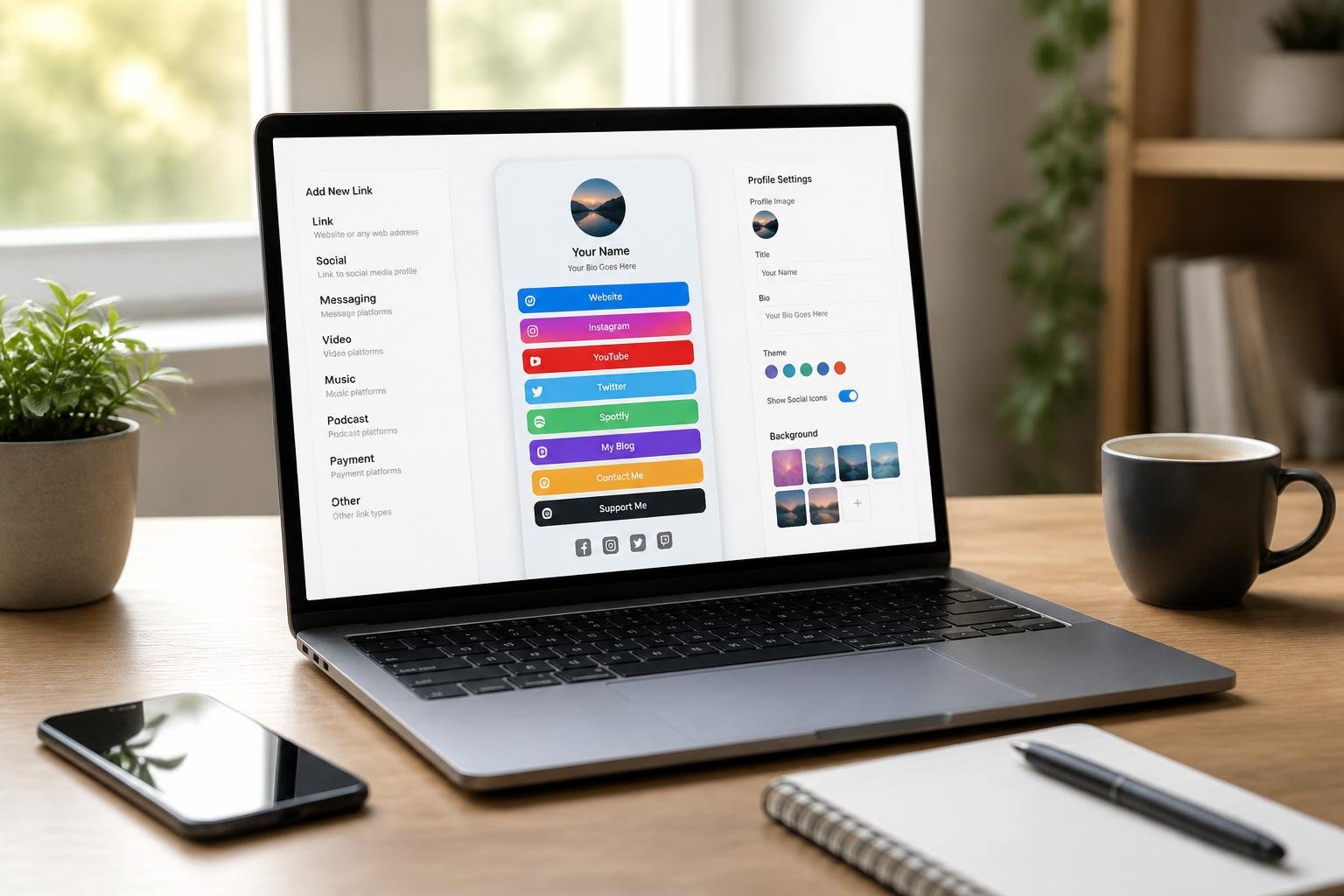
A bio links builder platform is a tool that lets you create a single webpage containing multiple links, which you can place in your social media bio to bypass the one-link restriction. Instead of constantly updating the single link in your Instagram or TikTok bio, you maintain one page where visitors can access your store, blog, portfolio, contact information, and other social profiles simultaneously.
These platforms range from basic free options that display simple link lists to advanced solutions with email marketing, e-commerce capabilities, analytics, and AI assistants. Choosing the right platform depends on your specific needs, whether you require just link sharing or a complete hub for managing your online presence and monetizing your audience.
Key Takeaways
- Bio links builder platforms create a single landing page that consolidates multiple links for your social media profiles
- These tools offer varying levels of features from basic link sharing to advanced analytics, e-commerce, and email marketing capabilities
- Platform selection should align with your goals, whether you need simple link management or a comprehensive creator business hub
Core Features of Bio Links Builder Platforms
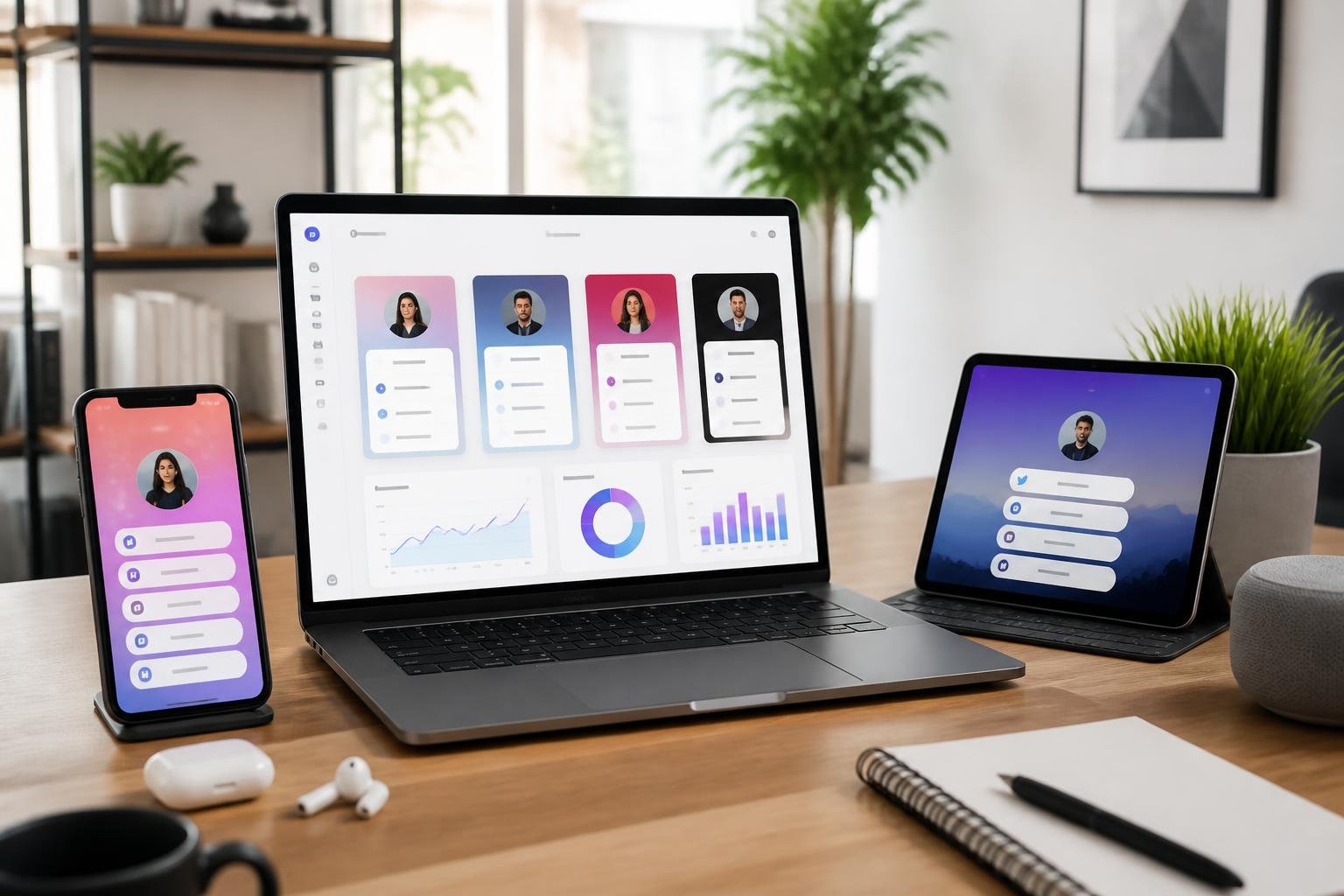
Bio links builder platforms share several essential capabilities that make them valuable for managing your online presence. These tools transform a single bio URL into a functional hub where your audience can access multiple destinations through one organized page.
Centralized Bio Page Creation
A bio link platform gives you the ability to consolidate all your important links onto a single landing page. Instead of constantly updating the one clickable link allowed in your Instagram, TikTok, or Twitter bio, you create a biolink page that serves as a permanent destination. This page can include links to your website, blog posts, product pages, email signup forms, and social profiles.
The creation process typically involves a drag-and-drop builder or simple form where you add links one by one. Most platforms offer templates you can customize with your content, or you can build from scratch. You control the order of links, allowing you to prioritize what matters most to your audience at any given time.
Your bio page remains accessible through a single shortened link that fits neatly in any social media bio field. When someone clicks your link in bio, they land on this centralized page where they can choose their next destination based on their interests.
Custom Domains and Branding
Professional bio link pages should reflect your brand identity. Most platforms let you customize colors, fonts, backgrounds, and layouts to match your existing brand guidelines. You can upload logos, add background images or videos, and adjust button styles to create a cohesive visual experience.
Custom domain support separates basic tools from professional solutions. Instead of using a generic URL like "yourname.platformname.com," you can connect your own domain such as "links.yourbrand.com" or "go.yourcompany.com." This builds trust and reinforces your brand every time someone visits.
Advanced customization includes:
- Custom CSS and HTML injection
- Font selections beyond standard options
- Layout templates designed for specific industries
- Mobile-responsive designs that adapt to any screen size
- White-label options that remove platform branding entirely
Flexible Link Blocks and Content Embeds
Modern biolink pages go beyond simple text links. Link blocks let you add various content types directly to your bio page, creating a richer experience. You can embed videos, display your latest Instagram posts, add music players from Spotify or Apple Music, and include contact forms.
Common block types include:
- Standard links with titles, descriptions, and thumbnail images
- Social media feeds that automatically update with your latest content
- Payment buttons for products, services, or tips
- Email signup forms connected to your mailing list
- Calendar widgets for booking appointments
- Countdown timers for launches or events
Some platforms offer 25 or fewer custom links on free plans, while others provide unlimited links. The flexibility to add, remove, and reorder these blocks means your bio link page can evolve as your priorities change. You can schedule specific links to appear or disappear on certain dates, useful for limited-time promotions.
Accessibility Across Social Platforms
Your bio URL needs to work consistently across every platform where you maintain a presence. A professional bio link fits within character limits on Instagram, TikTok, Facebook, Twitter, LinkedIn, YouTube, and emerging platforms. The shortened links these tools provide ensure you never run into space constraints.
Mobile optimization matters because most social media users access platforms from phones. Bio link pages automatically adapt to mobile screens, ensuring buttons remain tappable and content stays readable regardless of device. Load times stay fast even with images and embedded content.
You can use the same biolink across all your profiles or create separate pages for different audiences. Some creators maintain one bio page for Instagram and another for TikTok, tailoring the content and links to match each platform's audience expectations. QR codes provide another access method, useful for print materials, business cards, or in-person events where typing a URL is inconvenient.
Customization and Branding Capabilities

Visual customization determines whether your bio link page reinforces your brand or looks like a generic template. Full control over colors, fonts, backgrounds, and branded elements lets you create a consistent experience that visitors recognize across all your channels.
Theme and Color Personalization
Most bio link builders offer preset themes that control the overall layout and visual style of your page. You can typically select from light, dark, or accent-based color schemes that apply to buttons, backgrounds, and text elements. The best platforms let you override these presets with your own brand colors using hex codes or RGB values.
Look for tools that support independent color controls for different page elements: button fills, text, link hover states, and section backgrounds. This granular control ensures your call-to-action buttons stand out while maintaining visual harmony. Some builders also provide color palette suggestions based on your logo upload, which speeds up the setup process if you don't have formal brand guidelines.
Advanced platforms include gradient support, transparency controls, and the ability to save custom themes for reuse across multiple pages. If you manage several brands or clients, reusable color schemes save time and reduce inconsistency.
Custom Backgrounds and Fonts
Background customization goes beyond solid colors. You should be able to upload custom images, use gradient fills, or apply subtle patterns that add depth without overwhelming your links. Mobile-optimized backgrounds that crop or scale appropriately ensure your page remains readable on small screens.
Font selection directly affects readability and brand recognition. Platforms with extensive font libraries let you choose typefaces that match your website, packaging, or other marketing materials. Look for Google Fonts integration or custom font upload options if your brand uses proprietary typography.
Pay attention to font pairing tools and size controls. Your bio page typically needs two fonts-one for headings and one for body text-and the builder should make these pairings obvious. Line spacing and weight options help you balance legibility with visual interest, especially when displaying multiple links or product cards.
Branding on Bio Pages
Custom domain support is essential for serious branding. Instead of a generic platform subdomain, you can use a domain like "links.yourbrand.com" or "shop.yourname.com" that builds trust and improves click-through rates. Most platforms support custom domains on paid plans and include SSL certificates for security.
Logo placement and sizing options let you anchor your page with recognizable brand marks. You should be able to upload high-resolution logos, adjust their position (header, footer, or inline), and control padding around the image. White-labeling features that remove platform branding from footers or loading screens create a fully owned experience.
Favicon and social preview customization ensures your brand appears correctly when links are shared or bookmarked. Upload a favicon that matches your main site and set custom Open Graph images so social platforms display your branded graphics instead of default placeholders.
Utilizing vCard Links
A vCard link lets visitors save your contact information directly to their phone with one tap. This feature is valuable for networking, event promotion, or any scenario where you want people to store your phone number, email, and social profiles instantly. Modern bio link builders support vCard generation within the page editor.
You can typically create a vCard by entering contact fields-name, company, phone, email, address-and the platform generates a downloadable file. Some tools also provide QR codes that link directly to the vCard, which you can print on business cards or display at events. This bridges offline and online discovery seamlessly.
Look for platforms that let you customize which fields appear in the vCard and update them without regenerating the link. vCard links that work across iOS and Android improve adoption, and analytics that track vCard downloads help you measure networking ROI.
Advanced Link and File Integrations
Modern bio link platforms extend beyond simple URL directories to support file delivery, affiliate tracking, and time-based link management. These capabilities let you distribute resources, manage partnerships, and automate promotions directly from your profile page.
Adding File Links and Document Sharing
You can host and deliver files directly through your bio link page without relying on external cloud storage. Platforms with file link support let you upload PDFs, media kits, price sheets, or digital products that followers download with one click.
Look for builders that support multiple file links in a single page, display file types and sizes clearly, and track download counts. Features like password protection or email-gate downloads help you control access and capture leads before releasing assets.
Some tools impose file size limits-typically 50 MB to 500 MB per upload-and may restrict file types for security. Check whether the platform provides direct downloads or streams files through a preview interface. Direct delivery reduces friction; preview options work better for portfolios or samples you want visitors to browse before saving.
Affiliate and Project Links Integration
Affiliate links benefit from dedicated link blocks that display product images, descriptions, and clear CTAs to improve click-through rates. Platforms with affiliate-friendly features let you add disclosure labels, apply UTM parameters automatically, and track which links generate conversions.
If you manage multiple campaigns or clients, grouping links by project or campaign keeps your page organized and simplifies performance analysis. Use folders, tags, or dedicated link sections to separate brand partnerships, sponsored posts, and personal promotions.
Integration with affiliate networks-Amazon Associates, ShareASale, or custom programs-streamlines link creation. Some builders support direct product card embeds that pull images and pricing automatically. Verify whether the platform shortens or wraps affiliate URLs, as some networks flag modified links or penalize conversions tracked through intermediary domains.
Link Scheduling and Expiration
Scheduled links activate and deactivate automatically based on dates you set, which eliminates manual link swaps for time-sensitive promos or limited product drops. You can prepare launch links in advance, schedule them to go live at product release, and expire them when a sale ends.
Expiration controls prevent broken links and outdated offers from lingering on your profile. Set hard cutoffs by date or soft limits by click count to enforce scarcity or manage inventory for one-time downloads.
Advanced scheduling tools let you rotate links by time of day or day of week, which matters if you serve global audiences or test posting schedules. Review platform calendars or dashboards that visualize active, upcoming, and expired links so you maintain control over what visitors see and when.
Analytics, Tracking, and Optimization Tools
Bio link platforms provide visibility into how visitors interact with your page and which sources generate conversions. You gain control over attribution, retargeting, and optimization when you use platforms that support detailed tracking, parameter tagging, and integration with advertising pixels.
Real-Time Link Analytics
Real-time analytics show you which links receive clicks as they happen, along with visitor counts, device breakdowns, and geographic data. You can monitor traffic spikes during campaigns, track engagement patterns by time of day, and identify which content drives immediate action.
Look for dashboards that display individual link performance, total page views, and unique visitor counts. The best platforms separate clicks by device type (mobile, desktop, tablet) and show operating system or browser data. This granularity helps you optimize link order and prioritize mobile-friendly layouts when most traffic comes from phones.
Export options matter when you need historical comparisons or want to combine bio link data with other analytics tools. Platforms that offer CSV downloads or API access let you build custom reports and track month-over-month growth. Some builders also include heatmaps or click density visualizations that reveal which sections of your page attract attention.
UTM Parameter Tracking
UTM parameters tag links with source, medium, campaign, and content identifiers so you can track performance in Google Analytics or other tools. You add these parameters to destination URLs from your bio page, which lets you see exactly which social post or bio link drove a sale or signup.
Most bio link builders let you append UTM parameters manually or generate them automatically when you create a link. You should establish a consistent naming convention-for example, utm_source=instagram, utm_medium=bio_link, utm_campaign=spring_sale-so your analytics reports remain readable and comparable across campaigns.
Advanced platforms pre-populate UTM fields or store templates so you can apply the same structure to new links without retyping. When combined with your bio link platform's native analytics, UTM tracking gives you two layers of attribution: internal click data and downstream conversion data from your website or checkout page.
Understanding Referrers and Click-Through Rate
Referrer data tells you which social platform, search engine, or external site sent traffic to your bio link page. You can identify whether visitors arrived from Instagram, TikTok, Twitter, or direct entry, which helps you allocate content effort and ad spend.
Click-through rate measures the percentage of bio page visitors who click at least one link. A high CTR indicates your page layout, copy, and link hierarchy are effective. A low CTR suggests you need clearer calls to action, better link descriptions, or fewer competing options.
Track CTR by individual link to see which offers or destinations resonate most. If your newsletter link has a 15% CTR and your product link has 3%, you know where to focus optimization effort. Rotate link order, test button colors, or adjust copy to improve underperforming items. Referrer and CTR data together show you where traffic originates and how well your page converts it.
Implementing Pixels for Retargeting
Advertising pixels from Meta, Google, TikTok, or other platforms let you track bio link visitors and serve them retargeting ads. You install a pixel by pasting a code snippet into your bio link builder's settings or custom code section, which then fires when someone loads your page.
Once active, the pixel records visitor actions-page views, link clicks, or purchases-and builds an audience you can retarget with ads. This is especially valuable when you drive cold traffic from social posts to your bio page; the pixel captures those visitors so you can show them follow-up ads even if they don't convert immediately.
Check whether your bio link platform supports multiple pixels and event tracking. The best tools let you trigger custom events (for example, "clicked product link") that feed directly into your ad platform's conversion tracking. Combine pixel data with UTM parameters and native analytics to measure the full funnel from social post to bio page to purchase.
QR Code Integration and Sharing Options
Bio link platforms now include QR code generators that create scannable codes linking directly to your bio page, specific URLs, or contact information. These tools provide customization options and tracking capabilities that help you share your content across both digital and physical spaces.
QR Code Generator Features
Modern QR code generators on bio link platforms create codes that work across all standard QR readers and smartphone cameras. You can generate unlimited QR codes without restrictions on scan counts or expiration dates.
The platforms track detailed analytics for each QR code scan. You receive data on scan locations, device types, timestamps, and browser information. This helps you understand where and when people interact with your physical marketing materials.
Key tracking metrics include:
- Geographic location data by country and city
- Device operating systems (iOS, Android, etc.)
- Time and date of each scan
- Referrer information when applicable
Many platforms support dynamic QR codes that let you change the destination URL without generating a new code. This flexibility means you can update your linked content while keeping the same printed materials.
Customizable QR Design Elements
You can modify QR code appearance to match your brand identity while maintaining scannability. Color customization lets you change both the foreground pattern and background to align with your brand palette.
Available design options:
- Custom foreground and background colors
- Logo placement in the center area
- Frame styles and borders
- Size adjustments for different print formats
- Pattern style modifications
Some platforms offer templates that apply pre-designed styles to your QR codes. You can add your brand logo to the center of the code, though you need to ensure sufficient contrast for reliable scanning.
The systems typically include error correction levels that maintain functionality even if portions of the code are damaged or obscured by design elements.
Connecting QR Codes to Bio and vCard Links
QR codes on bio link platforms can direct users to multiple destination types beyond your main bio page. You can link codes to specific URLs, downloadable vCards, or file transfer pages hosted on the platform.
vCard integration lets people save your contact information directly to their phones with a single scan. The vCard includes your name, phone number, email, company details, and social media profiles. This eliminates manual data entry for networking at events or on business cards.
You can also generate QR codes for individual links within your bio page. This gives you flexibility to promote specific content, products, or campaigns through targeted QR placements. Each code maintains separate analytics so you can measure performance across different marketing channels and locations.
Collaboration and Team Management
Bio link platforms designed for teams need systems to organize work across multiple projects and control who can access or modify specific content. Team collaboration features let agencies and businesses maintain oversight while distributing workload efficiently.
Projects Organization for Teams
Most professional bio link platforms structure team workflows around projects, allowing you to separate clients or campaigns into distinct workspaces. Each project contains its own bio pages, links, analytics, and branding elements. This separation prevents confusion when your team manages multiple clients simultaneously.
You can typically create project folders or tags to group related work together. Some platforms let you assign specific team members to particular projects, restricting their view to only relevant content. This focused approach helps freelancers, agencies, and marketing teams work without interfering with each other's assignments.
Advanced platforms include project templates that speed up the creation process for new clients. You can duplicate successful bio page layouts, link structures, and design elements across projects. Activity logs within each project show recent changes, helping you track progress and identify who made specific updates.
Managing Team Members and Access Rights
Team management interfaces let you add members by email and assign role-based permissions that control their capabilities. Common roles include:
- Admin: Full control over all projects, billing, and team settings
- Editor: Can create and modify bio pages and links within assigned projects
- Viewer: Read-only access to analytics and content without editing rights
You can revoke access instantly when team members leave or switch assignments. Some platforms offer custom permission sets beyond standard roles, letting you fine-tune who can publish changes, manage domains, or view financial data. Two-factor authentication and single sign-on options protect team accounts from unauthorized access.
Invitation systems typically send email notifications to new members with setup instructions. Your team dashboard displays all active members, their assigned projects, and last login dates for monitoring purposes.
Free and Paid Solutions: Evaluating Platform Options
Bio link platforms range from completely free tools to enterprise-level solutions at $90+ per month. The distinction between free and paid tiers goes beyond price-it determines which features you can access, how much control you have over branding, and whether you'll face transaction fees on sales.
Free Bio Link Builders
Free bio link platforms fall into two categories: genuinely free with no upgrade path, and freemium models that gate essential features behind paywalls.
MinglyLink offers every feature at no cost, monetizing through ethical advertising with a 60/40 creator revenue share. You get analytics, custom backgrounds, and booking links without hitting a paywall. Bio.link provides basic analytics on its free plan, which most competitors reserve for paid tiers.
Linktree's free plan limits customization and displays platform branding. Link scheduling and detailed analytics require the $5/month Pro plan. Beacons takes a different approach-the free tier includes monetization tools but charges a 9% commission on sales, which disappears on paid plans.
Lnk.bio supports unlimited links at no cost, though template options remain basic. For users who need simple link organization without commerce features, free plans from Bio.link or MinglyLink cover core functionality without artificial limitations.
Professional Plans and Advanced Features
Paid plans unlock custom domains, remove platform branding, and add commerce capabilities. Pricing varies from $0.99/month (Lnk.bio Mini) to $29/month (Stan Store).
Carrd charges $9-49 annually rather than monthly, making it one of the most affordable options for custom design control. Campsite.bio Pro costs $7/month and includes link thumbnails plus advanced analytics. Linktree's Premium tier at $9/month adds priority support and multiple link layouts.
Commerce-focused platforms cost more but consolidate multiple tools. Stan Store at $29/month includes product sales, email marketing, and checkout optimization. Beacons Creator Pro at $10/month removes transaction fees and adds AI-powered audience analytics.
Lnk.bio offers a unique $24.99 one-time payment for lifetime access, eliminating recurring costs entirely. This appeals to users who want basic paid features without subscription commitments.
Frequently Asked Questions
Creators and businesses need clear answers about platform selection, feature limits, tracking capabilities, and practical differences between tools before committing to a bio link builder.
Which link-in-bio tools are most popular for creators and small businesses?
Linktree remains the most widely recognized platform, offering unlimited links on free plans, basic analytics, and easy setup for Instagram and TikTok profiles. Its Pro plan unlocks scheduled links, custom branding, and deeper analytics.
Beacons and Stan Store have gained traction among creators who monetize directly through their bio pages. Beacons bundles email capture, digital product delivery, and native tipping with conversion tools. Stan Store focuses on creator commerce with checkout-first pages designed for digital downloads, memberships, and course sales.
Campsite and Taplink serve users who need modular layouts and flexible design options without high monthly costs. Campsite emphasizes media embeds and card-style blocks, while Taplink provides contact forms and payment buttons suited for freelancers and small businesses.
How do free link-in-bio plans compare to paid plans in features and limits?
Free plans typically provide unlimited links, basic link lists, and simple analytics showing total clicks. You can set up a functional bio page with multiple destinations, but customization remains limited to preset themes and colors.
Paid plans add custom domains, white-labeling, advanced analytics with UTM tracking and device breakdowns, and scheduled link activation. You also gain access to email capture forms, conversion tracking, and the ability to remove platform branding from your page.
Transaction fees differ significantly between free and paid tiers when you sell products. Free plans often include higher percentage fees or caps on monthly transactions, while paid subscriptions reduce or eliminate transaction costs and support direct deposits.
What features should I look for in a link-in-bio page for Instagram?
Custom domain support and SSL ensure your bio link looks professional and builds trust with followers. A custom domain also improves brand recognition and makes your link memorable across multiple social platforms.
Instagram-specific integration matters because you want post-to-link mapping that connects individual Instagram posts to specific destinations on your bio page. Look for platforms that support Instagram Story swipe-up alternatives and card layouts optimized for mobile viewing.
Analytics must track which Instagram posts drive clicks and conversions. UTM-level breakdowns, referrer data, and time-of-day trends help you understand which content formats and posting schedules generate the most traffic from your Instagram profile.
How can I track clicks and conversions from a link-in-bio page?
Built-in analytics dashboards provide click counts, unique visitors, and conversion rates for each link on your page. The best platforms break down performance by device type, geographic location, and referrer source so you know which social profiles send the most engaged traffic.
UTM parameter support and short link generation let you track discrete campaigns and measure ROI from specific posts or promotions. You can append tracking codes to individual links and view performance in both your bio link dashboard and Google Analytics.
Conversion attribution connects profile clicks to actual outcomes like purchases, email signups, or appointment bookings. Platforms with native checkout or form integrations show you which links convert visitors into customers, not just which ones get clicks.
Can I add videos or embed viral content on a link-in-bio page?
Most modern bio link builders support embedded video blocks from YouTube, Vimeo, and TikTok directly on your landing page. You can showcase video content without forcing visitors to click through to external platforms.
Shoppable galleries and product embeds let you display images, videos, and purchase buttons together in card-style layouts. This approach works well for creators who want to feature multiple products or highlight user-generated content alongside purchase links.
Media file size limits vary by platform, so check specifications before uploading large video files or high-resolution images. Some builders optimize media automatically for mobile viewing, while others require you to compress files before upload.
What are the main differences between Linktree and its top alternatives?
Linktree prioritizes simplicity and reliability with a polished free tier, widespread brand recognition, and straightforward setup for Instagram and TikTok. It offers unlimited links, basic analytics on free plans, and advanced analytics, scheduled links, and custom branding on Pro subscriptions starting around $5-24 per month.
Beacons and Stan Store differentiate themselves through built-in commerce and monetization tools that enable direct sales from your bio page. Both platforms include email capture, digital product delivery, and native checkout with lower friction than external payment flows, though they may charge transaction fees on free tiers.
Campsite and Taplink compete on layout flexibility and pricing, offering modular blocks, contact forms, and payment buttons at lower monthly costs than Linktree Pro. Campsite emphasizes media embeds and card-based designs, while Taplink targets freelancers and small businesses needing forms and simple sales without advanced commerce pipelines.