
TikTok for Backlinks: Boost Your SEO Indirectly
Hey there, future backlink superstar! Are you ready to dive headfirst into the vibrant, pulsating world of TikTok and discover how it can become a secret weapon for your website's SEO? Forget everything you thought you knew about traditional link building, because we're about to explore a super fun, super effective way to get some serious love for your site. So, grab your favorite snack, get comfy, and let's get linking!
Table of Contents
- Introduction: Why TikTok for Backlinks?
- Understanding the "Nofollow" Nitty-Gritty (Don't worry, it's still awesome!)
- Your TikTok Profile: The Ultimate Link Hub
- Beyond the Bio: Injecting Links into Your Videos & Stories
- Crafting Killer Content for Click-Throughs
- TikTok SEO: Getting Found by Your Dream Audience
- Turning TikTok Traffic into True Backlink Gold
- Common Mistakes to Avoid
- Ready, Set, Link! Your Action Plan
- FAQ: Your Burning TikTok Backlink Questions Answered
1. Introduction: Why TikTok for Backlinks?
Alright, let's be real: when you think "backlinks," TikTok probably isn't the first platform that springs to mind, right? You're probably picturing stuffy industry blogs or detailed resource pages. But guess what? TikTok is a massive powerhouse, with its user base projected to hit 135.79 million by the end of 2025! It's not just for viral dances anymore; it's a legitimate search engine for Gen Z, with many using it more than Google to discover brands and businesses.
This means there's a huge, often untapped, opportunity to drive traffic and indirectly boost your website's authority. While TikTok links often get a "nofollow" tag, which we'll chat about next, the sheer volume of traffic and brand awareness you can generate is a game-changer for your overall SEO strategy. Think of it as opening up a whole new highway for people to discover your awesome content!

2. Understanding the "Nofollow" Nitty-Gritty (Don't worry, it's still awesome!)
Okay, let's get something straight right off the bat: most links you place on TikTok, whether in your bio, comments, or video descriptions, are what we call "nofollow" links. In traditional SEO speak, a "nofollow" link doesn't directly pass "link juice" or authority to your website.
But don't let that dampen your spirits! Here's why TikTok "nofollow" links are still incredibly valuable for your overall SEO game:
- Direct Traffic, Baby! TikTok is a fantastic driver of direct traffic to your website. When your engaging videos capture attention, people will click that link in your bio to learn more. More direct traffic can signal to Google that your site is relevant and valuable, which can indirectly boost your SEO. It's like having a billboard that actually works!
- Brand Building Bonanza: Going viral or simply consistently creating great content on TikTok dramatically increases your brand awareness. This heightened visibility leads to more branded searches on Google (people searching specifically for your brand), and Google sees this as increased relevance and authority for your brand. Hello, organic search boost!
- The "Dofollow" Domino Effect: While direct TikTok links are usually nofollow, the traffic and awareness they generate can lead to organic "dofollow" backlinks from other sources. Think about it: someone discovers your amazing content on TikTok, loves it, visits your site, and then decides to reference your work on their own blog or website with a proper dofollow link. Bingo! That's the real magic right there.
3. Your TikTok Profile: The Ultimate Link Hub
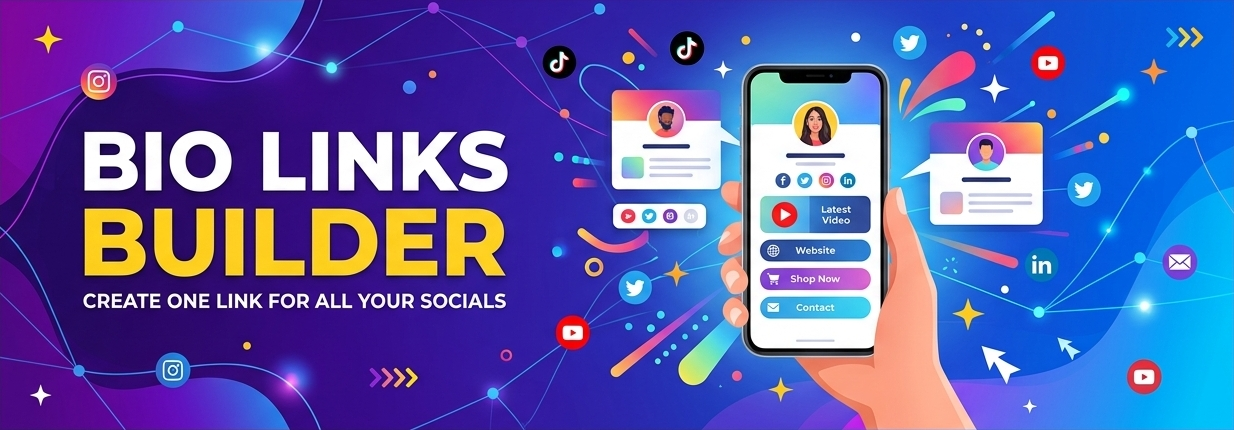
Your TikTok profile bio is prime real estate! It's the most straightforward place to drop a clickable link to your website, online store, or a dedicated landing page. This is your digital storefront, so make it count!
How to Set It Up:
- Switch to a Business Account (or just enjoy the perk!): While traditionally a business account was often a requirement, recent updates mean any TikTok account can now add a clickable website link to their bio, regardless of follower count! So, whether you're personal or business, you're good to go.
- Edit Your Profile: Go to your profile, tap "Edit profile," and you should find a "Website" field. Paste your URL there. Make sure to include "http://" or "https://"!
- Link-in-Bio Tools for the Win: If you have multiple destinations you want to send people to (like different products, a blog, or other social media), use a "link-in-bio" service like Linktree, Beacons, or Bitly Pages. These tools create one clickable link that leads to a mini-landing page with all your important links. It's like having a digital buffet for your audience!

4. Beyond the Bio: Injecting Links into Your Videos & Stories
While the bio link is king, TikTok offers a few other cool ways to get your links out there and guide your audience exactly where you want them to go.
- In-Video Links (for Business Accounts/TikTok Shop): This is where it gets super exciting for businesses! If you have a business account and especially if you're using TikTok Shop, you can often add clickable product links directly into your videos! TikTok's "Destination Links" feature for verified business accounts even allows you to attach external links to videos and at the top of comments with a clickable call-to-action (CTA). This is super powerful for driving direct conversions and visits!
- Links in Stories: Don't forget about your TikTok Stories! You can often include a clickable link there, too, making them a fantastic, temporary way to promote specific pages or offers. If you need to share multiple links, a clever trick is to break your story into parts, with each part featuring a different link.
- Mentioning Links in Video Descriptions & Comments: Even if a link isn't clickable in a regular video description or comment, you can still mention it! Direct viewers to "check the link in bio" or even tell them to copy and paste a URL you've left in the comments (though this requires a highly motivated viewer!). The key is to make your content so engaging that they want to take that extra step.
5. Crafting Killer Content for Click-Throughs
This is where the magic truly happens! Amazing content is the engine that drives views, engagement, and ultimately, clicks to your links. You can have the perfect link placement, but without compelling content, no one will care. Here's how to create videos that convert:
- Be Engaging, Always: TikTok's algorithm LOVES engagement – watch time, shares, comments, saves, and replays are crucial. Focus on creating content that hooks viewers in the first few seconds and keeps them watching till the end. Think short, snappy, and scroll-stopping!
- Solve a Problem or Entertain: People share content that's valuable. Is your video educating, inspiring, or making someone laugh? High-value content is naturally more shareable and more likely to drive curiosity about your linked resource.
- Clear Calls-to-Action (CTAs): Don't leave your audience guessing! Clearly tell them what you want them to do. "Check out the link in my bio for the full recipe!" or "Tap the product link below to grab yours!" A simple verbal CTA can make a huge difference. You'd be surprised how often people need to be told exactly what to do!
- Show, Don't Just Tell: TikTok is a visual platform. Use original visuals, demonstrate your product, show snippets of your blog post, or highlight a key point from your website. Make the link feel like a natural next step that adds value to your content, not an interruption.
6. TikTok SEO: Getting Found by Your Dream Audience
Just like Google, TikTok has its own search engine, and optimizing your content for it is vital! This isn't just about ranking on TikTok; well-optimized content can also show up on Google's search results pages! Mind blown, right?
- Keywords are King (and Queen!): Use relevant keywords in multiple places:
- Captions: Naturally weave your keywords into your video descriptions. Don't keyword stuff, but make sure they're present!
- On-Screen Text: Add text overlays to your videos that include keywords. This helps both the algorithm and viewers understand your content.
- Spoken Audio: Believe it or not, TikTok's algorithm processes the words you say in your videos! So, speak your keywords clearly and naturally.
- Hashtags: Use a mix of broad, niche-specific, and trending hashtags. Don't just go for the most popular; find ones relevant to your content. TikTok even has a keyword insights tool in its Creative Center to help you find trending terms.
- Engage, Engage, Engage: TikTok's algorithm heavily rewards engagement signals. Encourage comments, shares, and saves. Respond to every comment to keep the conversation flowing. The more interactions your video gets, the more TikTok will push it out to new audiences.
- Ride the Trends (Responsibly): Using trending sounds, music, and effects can significantly boost your video's visibility. Just make sure the trend fits your content and message organically, otherwise, it can feel forced and turn viewers off. Authenticity is key!

7. Turning TikTok Traffic into True Backlink Gold
So, how do those "nofollow" TikTok links turn into actual "dofollow" backlinks for your website? It's all about the indirect power of the platform – TikTok acts as a super-connector to your other, linkable assets!
- Increased Brand Authority: As your brand becomes more visible and respected on TikTok, other creators, journalists, or industry peers are more likely to discover your valuable content. This organic discovery often leads to them citing your work on their websites or blogs, naturally creating dofollow backlinks. It’s like being seen as an expert, leading to others referencing you!
- Content Promotion Powerhouse: Think of TikTok as a supercharger for your existing content. If you have an amazing blog post, a detailed guide, or a valuable resource on your website, create TikTok videos that tease or summarize that content. Direct viewers to your "link in bio" to read the full piece. This drives qualified traffic that's already interested in your topic, making them more likely to link back or share with dofollow links.
- Networking and Collaboration: Actively engage with other creators and businesses on TikTok. This can lead to collaborations, guest appearances, or joint projects that result in backlinks as both parties promote the content across their platforms. Partnership power!
8. Common Mistakes to Avoid
Even with the best intentions, it's easy to stumble on your TikTok backlink journey. Here are some pitfalls to steer clear of:
- Spamming Links: Don't just dump links without context or value. TikTok users are savvy; they'll scroll right past. Make sure your link genuinely adds to the user experience.
- Ignoring TikTok SEO: Just posting random videos won't cut it. Take the time to research keywords, use relevant hashtags, and optimize your captions.
- Forgetting a CTA: If you want people to click, you have to tell them! A clear call to action is essential. No one's a mind reader!
- Irrelevant Content: Your videos need to align with your brand and the content you're linking to. Don't create trending dances if your niche is financial planning, unless you can make it super relevant and funny!
- Broken or Incorrect Links: Double-check your links! A broken link means lost traffic and a frustrated audience. That's a huge no-no.
- Only Focusing on Direct SEO: Remember, TikTok's primary benefit for SEO is often indirect. Don't get hung up on direct "dofollow" links from TikTok itself. Focus on traffic, brand awareness, and genuine engagement – the dofollow links will follow!
9. Ready, Set, Link! Your Action Plan
Feeling pumped? Awesome! Here's a quick action plan to get you started on your TikTok backlink journey:
- Optimize Your Profile: Switch to a business account (if you want extra features!), create a compelling bio, and add your primary website link (or a link-in-bio tool).
- Research Keywords: Use TikTok's search bar and its Creative Center's keyword insights tool to find trending and relevant keywords in your niche.
- Plan Engaging Content: Brainstorm video ideas that are educational, entertaining, or problem-solving, and align them with your website content.
- Integrate Links Strategically: Decide where your links will go (bio, stories, in-video if eligible) and plan clear CTAs for your videos.
- Optimize Every Video: Include keywords in captions, on-screen text, and spoken audio. Use a mix of relevant hashtags.
- Engage with Your Audience: Reply to comments, ask questions, and encourage shares and saves. Build a community!
- Monitor and Adapt: Keep an eye on your TikTok analytics to see what's working and refine your strategy. It's an ongoing journey!
10. FAQ: Your Burning TikTok Backlink Questions Answered
Q: Are TikTok links truly "good" for SEO if they're mostly nofollow? A: Absolutely! While they don't directly pass "link juice," they are excellent for driving direct traffic, boosting brand awareness, and indirectly leading to dofollow backlinks from other sources. Think of TikTok as a powerful traffic and visibility generator that feeds into your broader SEO efforts.
Q: Do I need a certain number of followers to add a link to my TikTok bio? A: Not anymore! Any TikTok account can now add one bio link, regardless of follower count, and it works for both personal and business accounts. However, some regions or specific features (like in-video links) might still have different requirements.
Q: Can TikTok videos rank on Google? A: Yes! TikTok videos have been indexed by Google since 2021 and can appear in Google's organic search results, especially for how-to and informational queries. Optimizing your videos for TikTok's internal search can increase their chances of ranking on Google too. How cool is that?!
Q: How do I make my links clickable in TikTok videos? A: For most users, links are only clickable in your profile bio. However, if you have a business account and/or TikTok Shop enabled, you may be able to add clickable product links directly to your videos or use "Destination Links" for external URLs. You can also add clickable links to your TikTok Stories.
Q: Should I put affiliate links on TikTok? A: Yes, you can! Just make sure your content is relevant to the products, disclose that it's an affiliate link for transparency, and place the link in clickable areas like your bio or stories. Remember, affiliate links don't directly contribute to SEO, but they can drive sales and conversions, which is still a win!
There you have it! TikTok isn't just about fleeting trends; it's a dynamic platform ready to help you drive traffic, build your brand, and ultimately, strengthen your website's online presence. So, what are you waiting for? Get out there, create some amazing content, and start linking! Your website will thank you!
Categories
- 8
- 5
- 3
- 3
- 1
- 1
- 0
- 0
- 0
- 0
- 0
- 0
- 0
- 0
Popular Articles



Tags & Topics
Leave a Comment
Be respectful. Max 1024 characters.
No Comments Yet
Be the first to comment on this article.