Ready to take your YouTube channel to the next level without breaking the bank? Creating engaging YouTube videos that attract viewers, improve retention, and build a loyal subscriber base for long-term growth doesn't have to cost a fortune. This guide will walk you through the best free tools that every YouTuber should integrate into their workflow, empowering you to produce high-quality content and optimize your channel for success.
In today's competitive YouTube landscape, having the right tools can make all the difference in boosting your channel's growth and expanding your reach, even without spending a dime. High-quality videos are a cornerstone of YouTube success, and thankfully, powerful features once exclusive to paid programs are now available for free. These tools can help you optimize your content, improve viewer engagement, and streamline your production process, allowing you to focus on what truly matters: creating incredible videos.
Leveraging free resources effectively allows creators to compete with larger channels that have significant budgets. By optimizing aspects like video editing, thumbnail design, and search engine optimization (SEO), you can significantly enhance your content's discoverability and appeal, leading to more views and subscribers. Consistency in content creation and optimization, supported by these free tools, is crucial for sustained growth on the platform.
2. Elevate Your Visuals: Free Video Editing Software
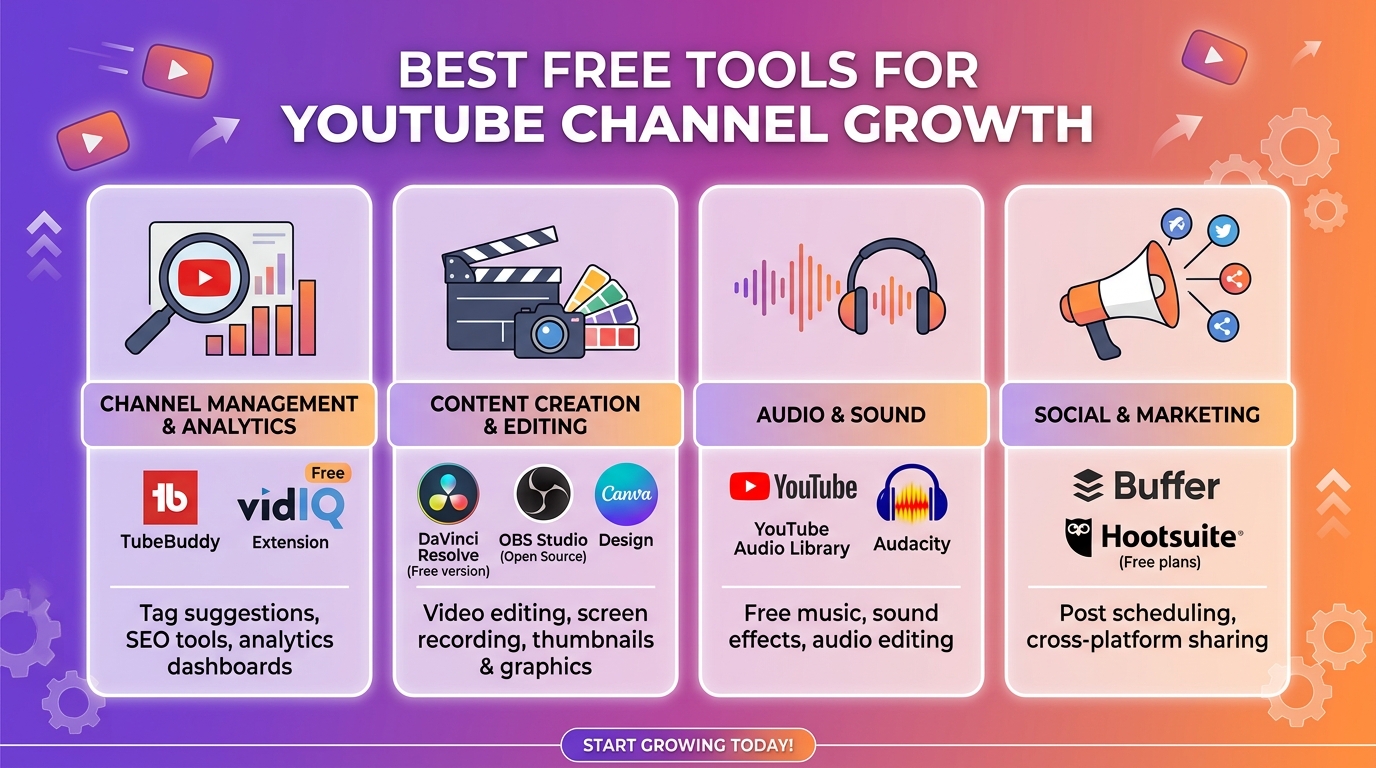
High-quality videos begin with excellent editing, and the good news is that free video editing software has advanced significantly, offering robust features for polished productions. Tools like DaVinci Resolve, Shotcut, and CapCut are popular among YouTubers for their comprehensive capabilities. DaVinci Resolve, in particular, is an industry-standard often used in Hollywood productions, providing advanced editing, color correction, and special effects, with its free version allowing for high-quality exports, sometimes even in 4K.
For those seeking ease of use and a more intuitive interface, CapCut is an excellent choice, known for its beginner-friendly design, 8K exports, and AI editing features like automatic captioning and silence removal. Other reliable options include OpenShot, which offers a non-intimidating interface with drag-and-drop transitions and effects, and Clipchamp, a web-based editor with AI-generated content features and easy-to-use layouts. Selecting a tool that matches your skill level and editing needs is essential to elevating your content.
Thumbnails are vital for attracting clicks and significantly impact your video's click-through rate (CTR). A well-designed thumbnail can make your video stand out in search results, enticing viewers to click. Free tools like Canva, Pixlr, and Adobe Express provide intuitive platforms to create compelling and professional-looking thumbnails.
Canva is widely praised for its user-friendly drag-and-drop interface, extensive library of templates, and options for consistent branding across your thumbnails. Similarly, Pixlr's YouTube Thumbnail Maker offers pre-designed templates and features like text editing with bold titles and customizable fonts to enhance visual appeal. Adobe Express also provides numerous templates and one-click edits, making it simple to create branded thumbnails quickly. Some AI-powered tools like vidIQ and WayinVideo can even generate click-optimized thumbnails from your video content, streamlining the design process.
To succeed on YouTube, your content needs to be discoverable, and that's where YouTube SEO comes in. Free keyword research tools are your secret weapon for finding high-potential, often overlooked keywords that your audience is actively searching for. Tools like TubeBuddy (free version), vidIQ (free version), Google Trends, and YouTube's own search suggestions are invaluable for identifying relevant search terms.
TubeBuddy and vidIQ offer browser extensions that integrate directly into YouTube, providing insights into search volume, competition scores, and related keywords. Google Trends allows you to explore the popularity of search queries over time, specifically filtering for YouTube searches to identify rising topics. Additionally, the YouTube Studio Research tab (also known as the Inspiration tab) provides data on what viewers are searching for, including content gaps where demand outweighs supply. By optimizing your video titles, descriptions, and tags with these keywords, you can significantly improve your video's ranking and visibility.
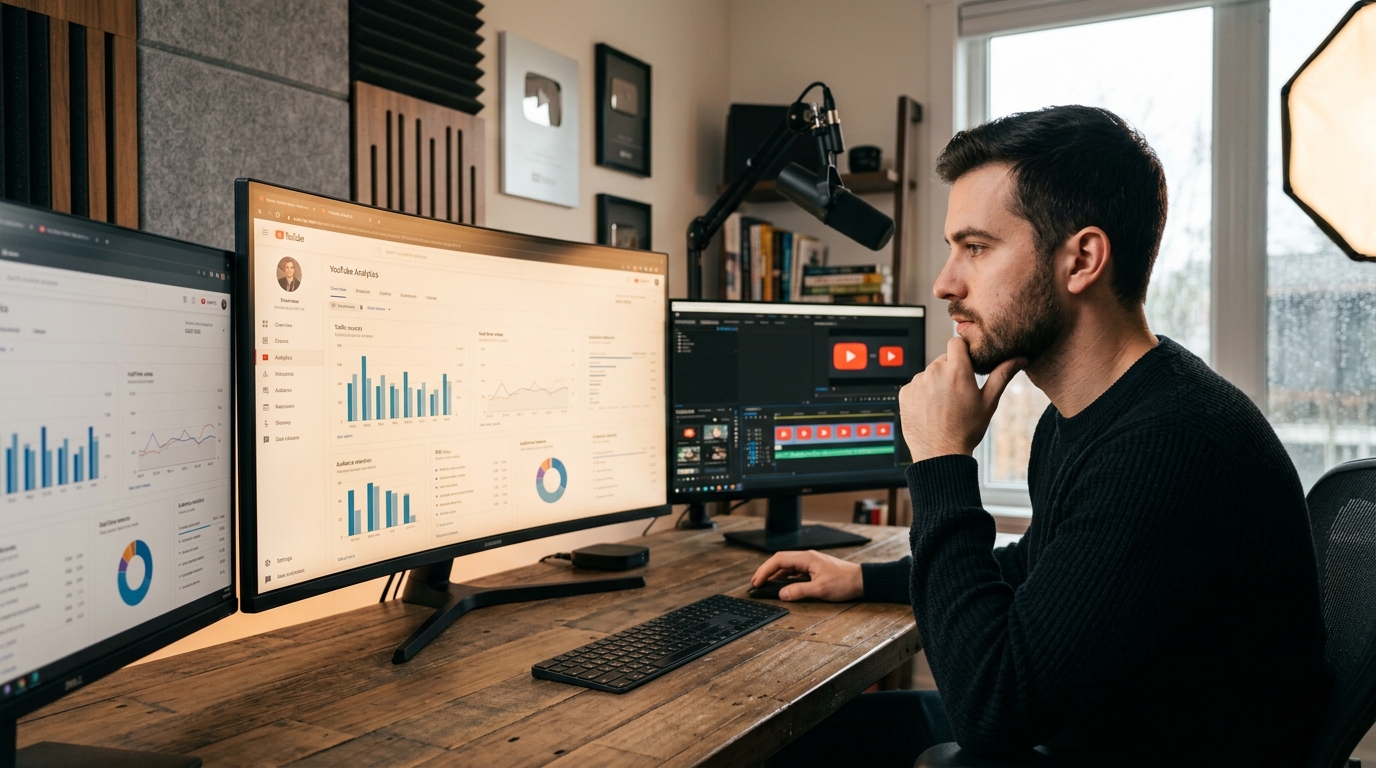
Understanding your audience and video performance is crucial for sustained growth, and YouTube provides powerful free tools for this purpose. The most essential is YouTube Studio, which offers robust analytics on a channel and content level. Beyond basic view counts, YouTube Studio allows you to track critical metrics like Click-Through Rate (CTR) and Audience Retention, providing insights into how effectively your titles and thumbnails attract viewers and how engaging your content is throughout the video.
Other free analytics tools like vidIQ and Social Blade offer additional insights. vidIQ provides comprehensive performance metrics and can even be used to analyze competitor channels, offering data on subscriber growth, view counts, and video rankings. Social Blade tracks YouTube channel statistics and rankings, revealing subscriber growth and daily/weekly statistics, which can help you identify trending creators and content. Regularly reviewing these analytics helps you refine your content strategy and optimize your approach to better resonate with your target audience.
6. Perfect Your Sound: Free Audio Editing Tools
Clear and crisp audio is just as important as high-quality visuals for an engaging YouTube video. Poor audio can quickly deter viewers, regardless of how good your video looks. Fortunately, several free audio editing software options can help you enhance your sound quality. Audacity is a widely popular open-source choice, celebrated for its user-friendly interface and comprehensive toolkit for recording, editing, and mixing audio tracks.
For Mac users, GarageBand is a fantastic free option that comes pre-installed, offering an easy way to record podcasts, music, and voiceovers with multi-track editing capabilities. Other notable free tools include OcenAudio and WavePad, both offering intuitive interfaces and a range of effects for speech enhancement and audio restoration, capable of handling large files and providing real-time sound effect previews. Utilizing these tools ensures your audio is professional and polished, keeping your audience engaged.
7. Enhance Your Content: Free Stock Media & AI Tools
Beyond what you film yourself, incorporating royalty-free music, sound effects, and B-roll footage can significantly enhance your video's production value and engagement. Platforms like Uppbeat and Pixabay offer extensive libraries of copyright-free music and sound effects, ensuring you avoid copyright strikes while adding a professional touch. For visual elements, Pexels and Unsplash provide a wealth of high-quality stock images and videos that can be used as B-roll or background elements, making your content more dynamic and visually appealing.
The rise of AI has also introduced powerful free tools that streamline content creation. AI music generators can create unique soundtracks tailored to your video's mood, while AI-powered video editors like VEED.IO and Clipchamp offer features such as background removal, noise reduction, and automatic script generation. These AI tools can spark new ideas, automate tedious tasks, and help you produce professional content more efficiently, even without extensive editing experience.
8. Streamline Your Workflow: Scheduling and Collaboration
Consistency is a key factor in growing a YouTube channel, and free scheduling and management tools can help you maintain a regular posting schedule. Tools like TubeBuddy (with its scheduling features) and Later allow you to plan and schedule your content in advance, ensuring regular uploads even when you're busy. Creating a content calendar using these tools can significantly streamline your workflow and keep your channel active and engaging.
Collaboration is another powerful strategy for channel growth, allowing you to reach new audiences and network with other creators. Free communication tools like Discord and Slack facilitate connecting with fellow creators, sharing ideas, and coordinating projects. YouTube's own Community tab also serves as a platform for engaging with your audience and fostering collaborations. Open communication and clear expectations are vital for successful collaborations that introduce your content to new viewers.
9. Frequently Asked Questions (FAQ)
Q: Are free YouTube tools truly as effective as paid ones?
A: Many free tools offer powerful features comparable to their paid counterparts, especially for individual creators and those starting out. While paid tools might offer more advanced functionalities or dedicated support, free options like DaVinci Resolve, Canva, and TubeBuddy (free version) provide excellent value and can significantly boost your channel's growth.
Q: Can I use multiple free tools simultaneously?
A: Absolutely! Many YouTubers combine several free tools to create a comprehensive workflow. For example, you might use DaVinci Resolve for video editing, Canva for thumbnails, TubeBuddy for keyword research, and YouTube Studio for analytics. The key is to find a combination that suits your needs and enhances your production process.
Q: How long does it take to see results from using these free tools?
A: The time to see results can vary depending on your niche, consistency, and content quality. However, by consistently applying SEO strategies with keyword tools, creating engaging thumbnails, and analyzing your performance with analytics, you should start seeing improvements in views, engagement, and subscriber growth over a few weeks to months.
Q: Are there any limitations to using free tools?
A: While free tools are highly capable, some may have limitations such as watermarks on exports (though many popular ones mentioned here do not), restricted access to advanced features, or lower resolution exports compared to paid versions. However, for most YouTubers, these limitations are minor and can often be worked around. For example, some free video editors cap exports at 1080p.
10. Key Takeaways
Free tools offer powerful capabilities for video editing, graphic design, SEO, and analytics, allowing you to grow your YouTube channel without significant investment.
Utilize free video editors like DaVinci Resolve, Shotcut, or CapCut to produce high-quality, professional-looking videos.
Craft eye-catching thumbnails with tools like Canva, Pixlr, or Adobe Express to increase your click-through rate.
Master YouTube SEO by using free keyword research tools like TubeBuddy, vidIQ, and Google Trends to improve discoverability.
Regularly analyze your channel's performance with YouTube Studio and other free analytics platforms to understand your audience and optimize your content strategy.
Enhance your video's audio with free editors like Audacity or GarageBand, and integrate royalty-free music and stock media to elevate production value.
Streamline your workflow with scheduling tools and explore collaboration opportunities using communication platforms.
Consistency in content creation and optimization, supported by these free tools, is the ultimate key to building a loyal subscriber base and achieving long-term growth on YouTube.

 Alex Martun


 Alex Martun